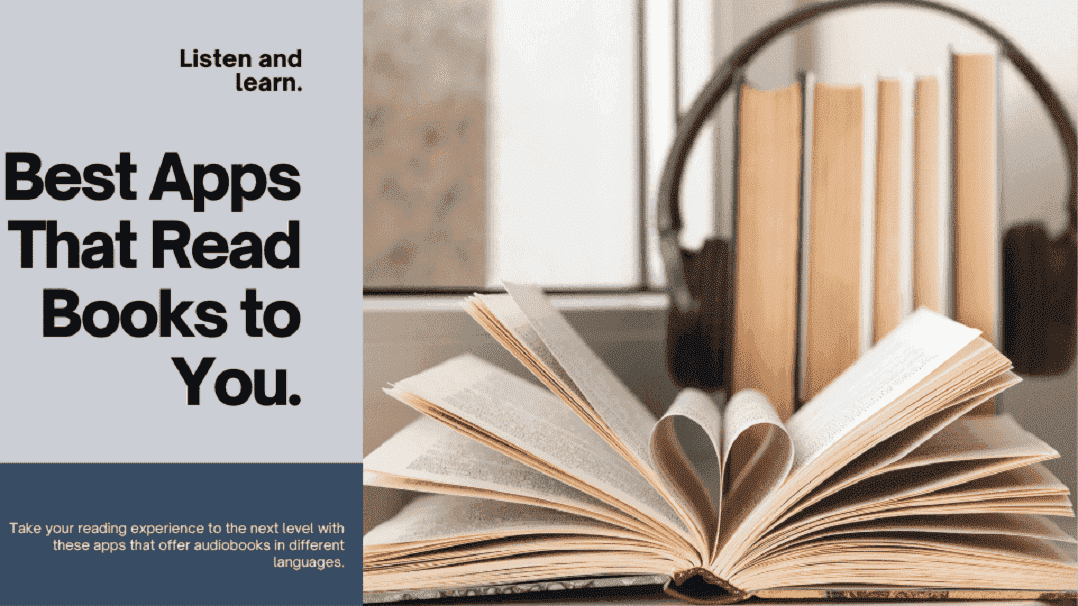
If you love reading anywhere — on the train, at night, or while cooking — book apps and apps that read books to you make it easier than ever. Sure, holding a real book still has its charm, but let’s be honest… it’s not always practical. Paperbacks need space, hardcovers are heavy, and taking more than one? Forget it.
That’s where the best apps for reading books come in. These apps that read books aloud or display them digitally let you carry an entire library in your pocket. Open the app on your phone or tablet, tap on a title, and you’re ready to dive in. Some even offer free apps that read books to you, including public-domain classics that cost nothing at all.
So, if you’ve ever wished you could read more often, try one of these apps that read books for you. They don’t just make reading convenient — they make it a daily habit. And who knows? With the right book app that reads to you, you might even find yourself finishing more books than you thought possible.
Aldiko Next – A Smart Book App That Reads to You Anywhere

If you’re searching for one of the best apps for reading books, Aldiko Next deserves a spot on your list. It’s available for both iOS and Android, making it a flexible book app that reads to you and organizes all your ebooks and audiobooks in one easy place. The clean digital bookshelf design helps you browse, select, and read without clutter — perfect for readers who like simplicity.
Beyond just being one of those apps that read books to you, Aldiko also offers its own online bookstore with more than 1.2 million titles. You can explore new authors, pick up trending releases, or revisit old classics. It supports several languages — English, French, Spanish, German, and Italian — making it one of the most accessible apps for reading books globally.
Another reason Aldiko stands out among apps that read books aloud is its seamless library integration. If your local library offers digital lending, you can easily browse, borrow, and return titles right from the app. You can even save your reading progress or place holds on books you plan to read later.
Aldiko isn’t just an app that reads books for you — it’s a complete reading ecosystem designed for comfort, discovery, and convenience.
Wattpad – The Book App That Reads and Inspires New Stories

If you love discovering unique voices and fresh perspectives, Wattpad is more than just one of the best apps for reading books — it’s a community where stories come to life. Here, thousands of independent writers publish their own novels, poems, and short stories, turning Wattpad into one of the most creative apps for readers anywhere.
From science fiction to romance, thrillers to comedy, Wattpad’s massive library has something for every mood. You can read in multiple languages — English, Spanish, Portuguese, French, or German — making it one of the most inclusive book apps that read to you across cultures. Available for both iOS and Android, you can also log in from the website and keep your reading synced across devices.
What makes Wattpad stand out among apps that read books to you is its ability to connect readers and writers. You can follow authors, comment on chapters, and even publish your own stories. It’s not just an app for reading books — it’s a place where storytelling feels alive, personal, and limitless.
Barnes & Noble Nook – A Classic Book App That Reads to You and So Much More

The legendary bookstore Barnes & Noble brings its reading legacy to the digital world with Nook, one of the best apps for reading books today. Available for both iOS and Android, this book app that reads to you gives access to over 4 million titles, covering everything from novels and comics to magazines, manga, and audiobooks. It’s not just an app — it’s an entire bookstore in your pocket.
Once you purchase or download a book, it’s stored neatly on your virtual bookshelf. You can organize your collection however you like and even personalize your reading experience — adjust font style, line spacing, background color, margins, or screen brightness. Among all apps for reading books, Nook stands out for how comfortably it mimics the feeling of reading a real page, only lighter and smarter.
But here’s what makes Nook one of the most generous apps that read books to you — it includes more than 75,000 free eBooks and 10,000 free audiobooks you can instantly download. Whether you’re into long novels or quick reads, there’s always something waiting to be discovered.
If you’ve been searching for a book app that reads to you while keeping that classic bookstore charm alive, Nook might just be your new favorite reading companion.
PocketBook Reader – A Smart App That Reads Books to You in 30+ Languages

Among the growing number of apps that read books to you, PocketBook Reader stands out for its advanced technology and natural listening experience. With its latest update for the Inkpad Pro eReader, PocketBook has introduced a powerful Text-to-Speech (TTS) engine that turns any ebook into an audio experience. This makes it one of the best apps for reading books hands-free — perfect for those who love multitasking or just want to rest their eyes.
The update brings new, human-like voices available in more than 30 languages, transforming your digital reads into realistic storytelling sessions. Whether you’re reading novels, study material, or professional documents, this book app that reads to you makes it all sound smooth and natural, much like a real audiobook.
PocketBook confirmed that the feature will soon roll out across all audio-supported models, including PocketBook Touch HD 3, PocketBook InkPad 3, PocketBook InkPad X, PocketBook Color, and InkPad Color. It’s an exciting leap for apps for reading books, proving that technology can make reading both easier and more immersive.
If you’ve been exploring apps that read books aloud, PocketBook Reader might be the perfect balance of innovation and comfort — it doesn’t just show you the story, it tells it to you.
Speechify – One of the Best Apps That Read Books to You with Human-Like Voices

If you’ve ever wished your favorite stories, documents, or articles could simply be read out loud, Speechify might be the best app for reading books you’ll ever try. It’s a powerful text-to-speech tool designed not just for readers, but for anyone who loves to learn or listen on the go. Among all the apps that read books to you, Speechify feels surprisingly human — it speaks with warmth, rhythm, and clarity.
Whether you’re trying to boost productivity, improve accessibility, or just enjoy your reading time differently, this book app that reads to you adapts beautifully to your needs. You can choose from over 130 natural-sounding voices in 30+ languages, adjust pitch and speed to match your preference, and even highlight words as they’re spoken. It’s like having a personal narrator in your pocket.
Speechify also lets you download and listen offline, making it one of the most convenient apps for reading books anywhere, anytime. It doesn’t just read your ebooks — it brings them to life. So whether you’re commuting, studying, or just relaxing, Speechify turns your reading list into an effortless listening experience.
NaturalReader – A Book App That Reads to You Like a Real Voice Companion

NaturalReader isn’t just one of the apps that read books to you — it’s more like having your own personal narrator. With over 200 realistic voices across 20+ languages, this book app that reads to you lets you customize everything: pitch, speed, and tone. Whether you prefer a calm storytelling pace or a brisk lecture-style rhythm, it adapts perfectly.
What makes it one of the best apps for reading books is its ability to handle nearly any type of text — ebooks, PDFs, articles, web pages, even scanned images. Thanks to its OCR technology, no paragraph goes unread. For anyone who struggles with reading or simply prefers listening, NaturalReader turns complex pages into clear, spoken words.
It also adds an accessibility edge most apps for reading books overlook. Features like dyslexia-friendly fonts, word highlighting, and adjustable speed make reading smoother and far less tiring. You can even multitask — let it read while you drive, cook, or clean, and download your favorite books for offline playback later.
And there’s a learning benefit too. With synced captions and voice recordings, you retain more vocabulary and comprehension over time. NaturalReader proves that the best apps that read books to you don’t just save time — they make reading more inclusive, flexible, and human.
Selecting a Free Book App That Fits Your Reading Style

With so many free apps that read books to you, finding the right one can feel a bit overwhelming at first. There are apps for reading books on phones, tablets, and even computers — each offering its own mix of features. The best way to choose? Try a few. See which one feels most natural, which book app that reads to you matches your habits, and which layout feels right for your eyes.
The best app for reading books should make the experience effortless — it should help you easily browse titles, adjust the font, change brightness, or switch between reading and listening modes. Every reader’s routine is different; some want simplicity, while others love extra features like bookmarks, highlighting, or offline access.
Take your time exploring different apps that read books to you. Sometimes the right fit isn’t about the most features — it’s about how comfortably you can get lost in a story. Find the book app that reads to you and feels like your own little library, ready wherever you go.
Key Takeaways
-
Apps that read books to you make reading easier, especially for multitaskers and audiobook lovers.
-
The best app for reading books depends on your style — try a few until one feels natural.
-
Many book apps that read to you offer free versions, multiple voices, and language support.
-
Accessibility features like text-to-speech, adjustable fonts, and offline playback make modern apps for reading books inclusive for everyone.
-
Combine digital reading with practical tools — you can also Rent Textbooks or Sell Used Textbooks on Windsor Books to manage your study materials efficiently.
Final Thoughts – Let Your Books Read Themselves to You
We live in a time when stories no longer have to stay on the page. With today’s apps that read books to you, reading has become more flexible, more personal — something you can enjoy while cooking, commuting, or just relaxing after a long day.
The best app for reading books isn’t necessarily the one with the most features. It’s the one that fits your habits — a book app that reads to you clearly, comfortably, and in a voice that feels natural. Some readers love apps that sync their ebooks and audiobooks; others want a single space where all their stories live. The beauty of digital reading is that you get to choose.
So take your time. Try different apps for reading books, explore new voices, and find the one that makes you look forward to every story. And while you’re building your digital library, don’t forget that Windsor Books can help with more than just apps — you can also Rent Textbooks for your studies or Sell Used Textbooks to make space (and a little extra cash) for the next chapter of your reading life.
Reading — or listening — has never been this effortless. Visit WindsorBooks.com and discover the best book apps that read to you for 2025 and beyond.
Resource Material
- Bates, C. C., Klein, A., Schubert, B., McGee, L., Anderson, N., Dorn, L., ... & Ross, R. H. (2017). E‐books and e‐book apps: Considerations for beginning readers. The reading teacher, 70(4), 401-411.
- Guernsey, L., & Levine, M. H. (2015). Tap, click, read: Growing readers in a world of screens. John Wiley & Sons.
FAQs – Everything You Should Know About Apps That Read Books to You
Do these apps cost money?
Most apps that read books to you are completely free to start with, though a few premium ones include extra voices or offline features behind a small subscription. It’s best to check each book app that reads to you to see which plan fits your budget and needs.
Can I use these apps on my phone or tablet?
Yes, nearly all apps for reading books work on both iOS and Android devices. Whether you’re using a phone, tablet, or even a desktop reader, the best apps for reading books keep your library synced so you can pick up right where you left off.
How do I choose the voice that reads the books to me?
In most apps that read books to you, you can customize the narrator’s tone, accent, and even language. Look under “Voice Settings” or “Accessibility Options” — it’s where you can truly make your book app that reads to you sound personal.
Can I use these apps if I don’t speak English well?
Yes, many apps for reading books support multiple languages, allowing you to enjoy stories and audiobooks in Spanish, French, German, or even regional accents. The best apps that read books to you make sure language never stands in your way.
Do these apps have features for people with visual impairments?
Absolutely. Accessibility is one of the main strengths of apps that read books aloud. Many include adjustable font sizes, dark mode, and text-to-speech support — making them among the most inclusive apps for readers available today.
If you love reading on the go, visit WindsorBooks.com — your destination for exploring, comparing, and discovering the best book apps that make reading feel effortless anywhere.
Related Articles
If you enjoyed this deep dive into apps that read books to you, here are a few more reads you might like:
-
Selling Textbooks Online — smart tips if you want to turn your used books into cash
-
Top Business Textbooks — especially useful if your reading list has business titles
-
Most Popular Economics Textbooks — good companion if you’re in social sciences or economics
-
Best Thought Provoking Books You Should Read As a College Student — for those times you want something meaningful and deep
-
Best English Literature Textbooks — helping you expand your literary horizons